Click Microsoft Edge (Highlighted Below)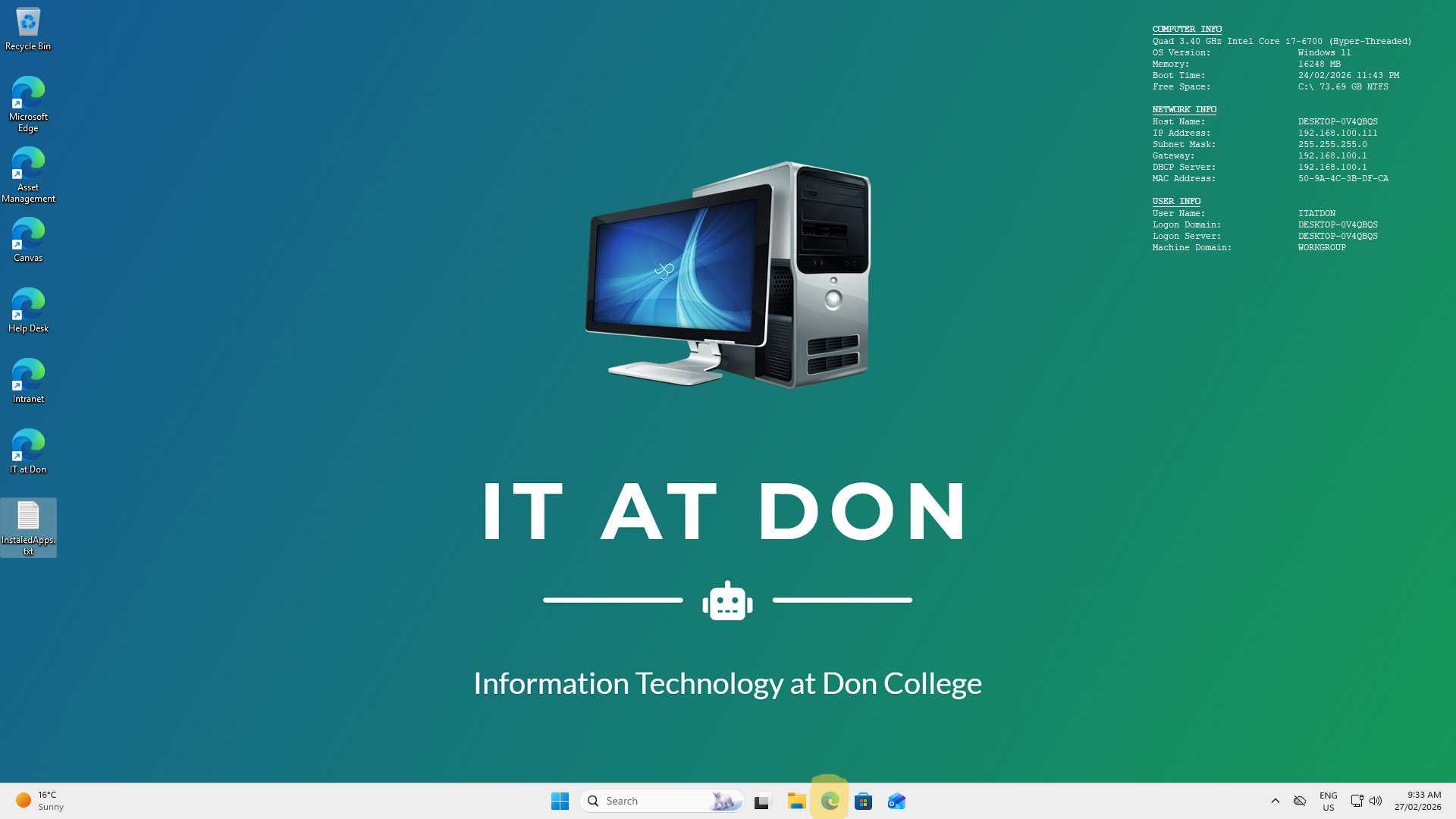
After Clicking Edge Click the URL address bar (Highlighted Below) 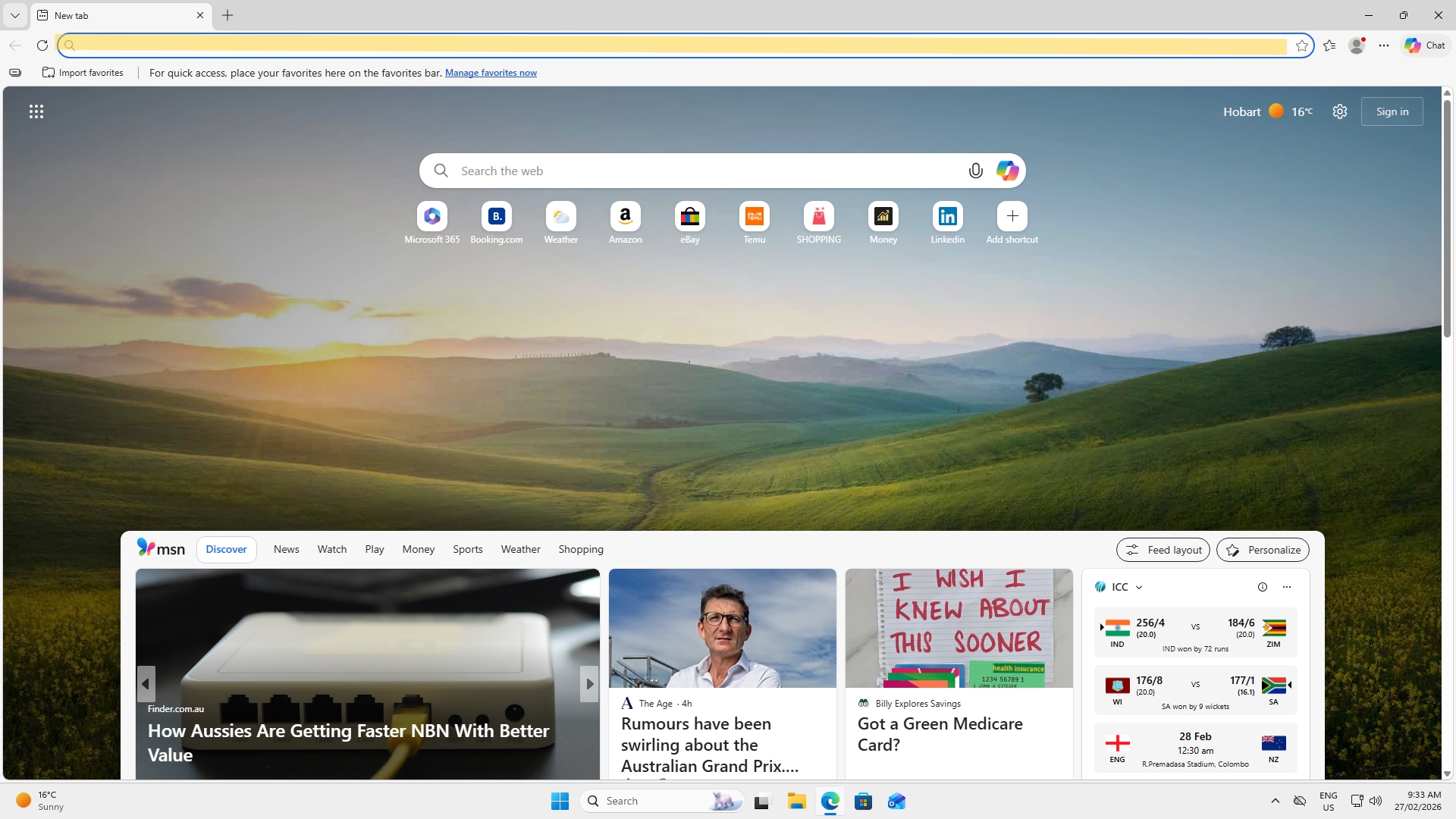 In the URL Adress Bar type in Canvas (Highlighted Below)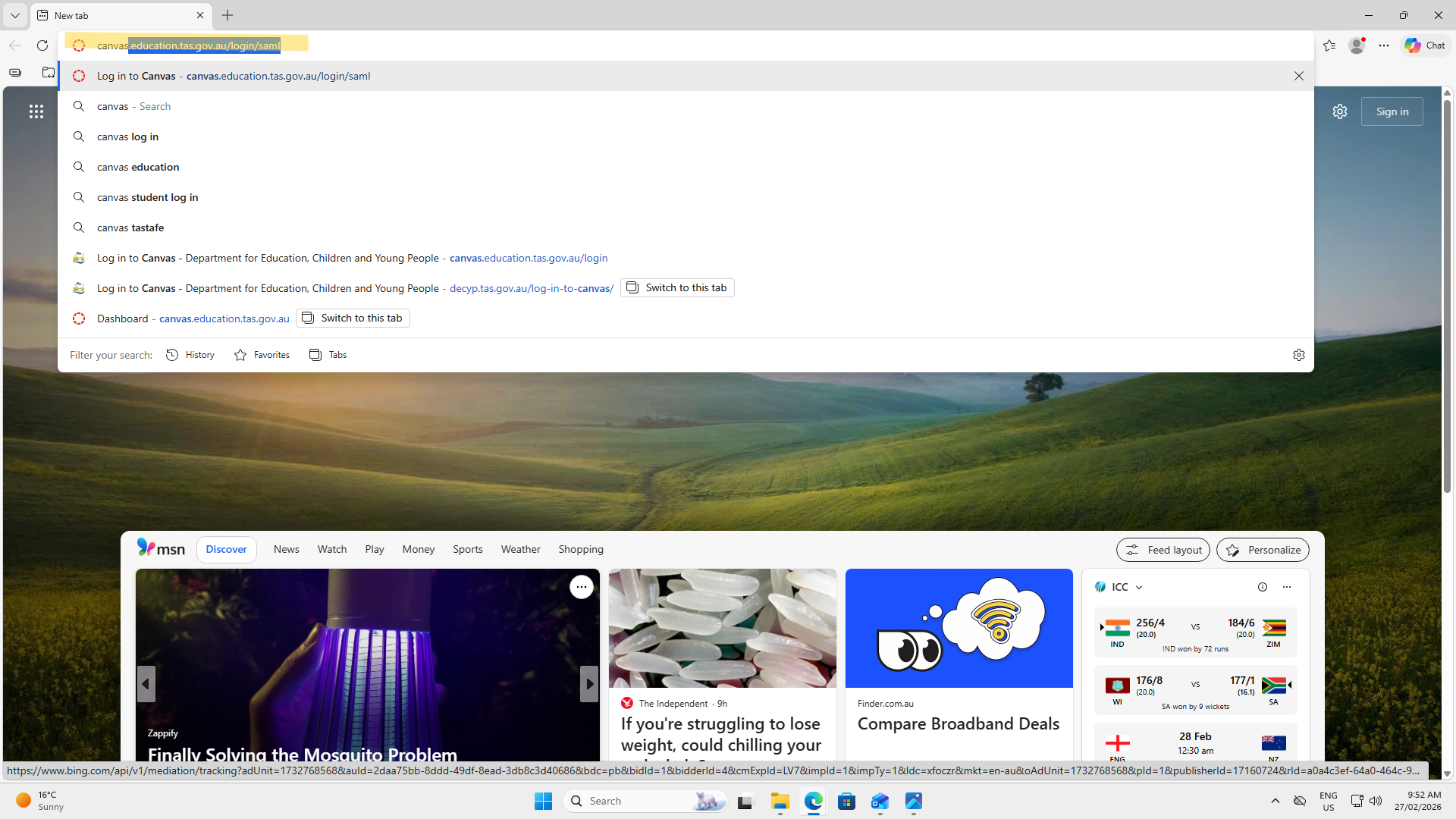
When youhave got to the canvas website you need to click "Staff and Students" (Highlighted Below) 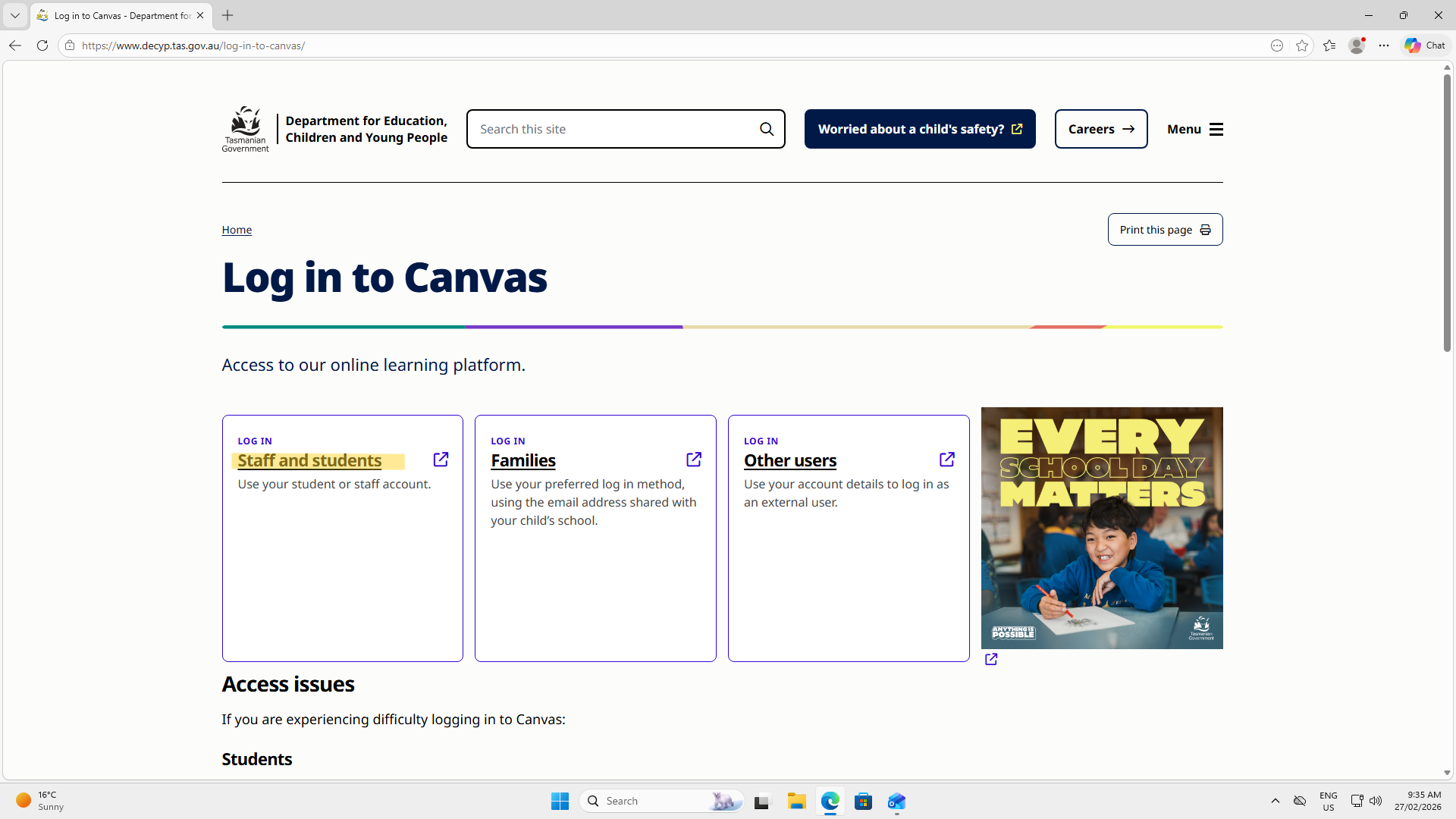 When you have click that you need to put in your school email eg "firstname.lastname.00@education.tas.edu.au" (Highlighted Below)
 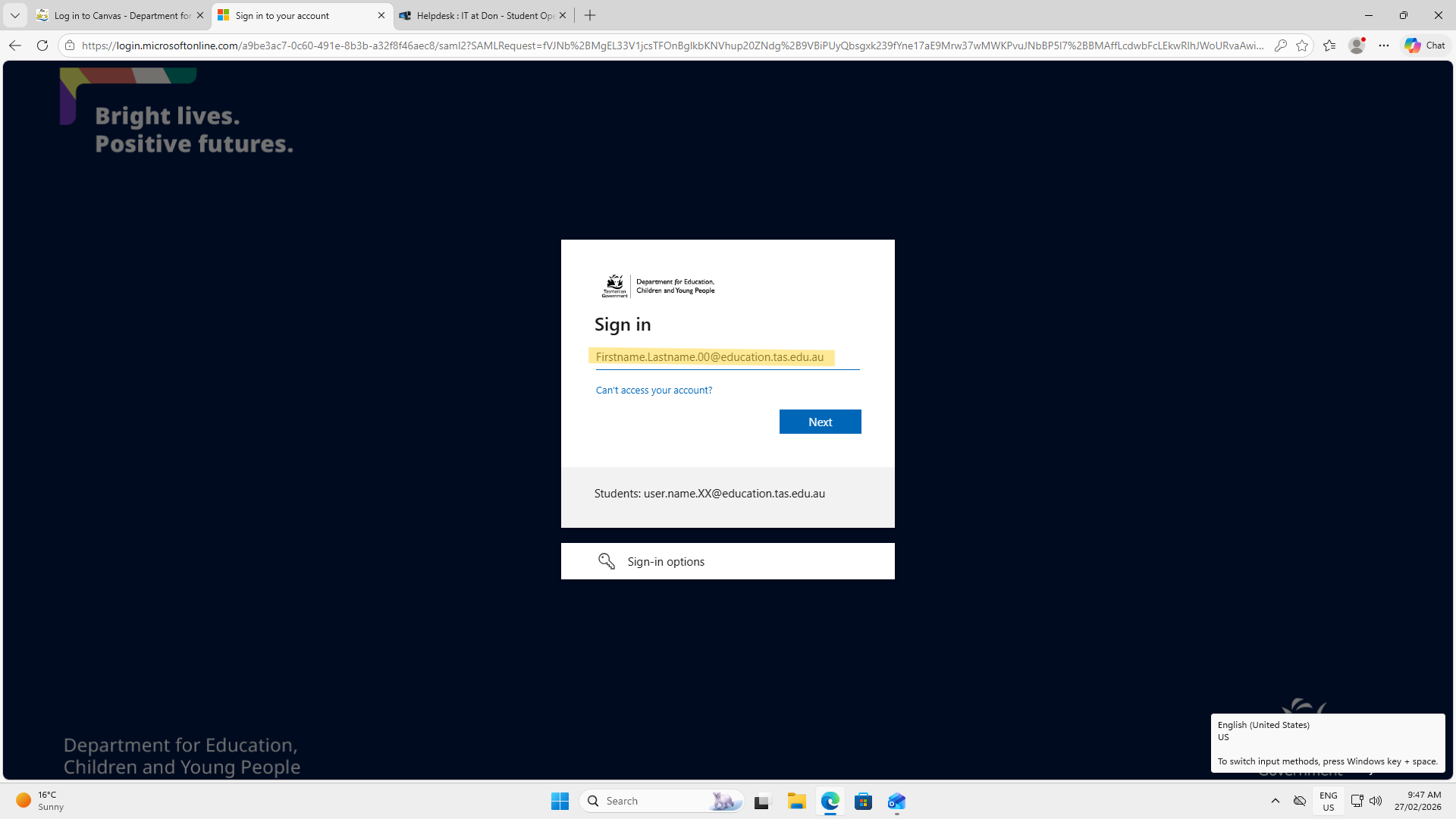 When you have put in your email press next then you get to the password screen put in your password that you have made below (Highlighted Below)
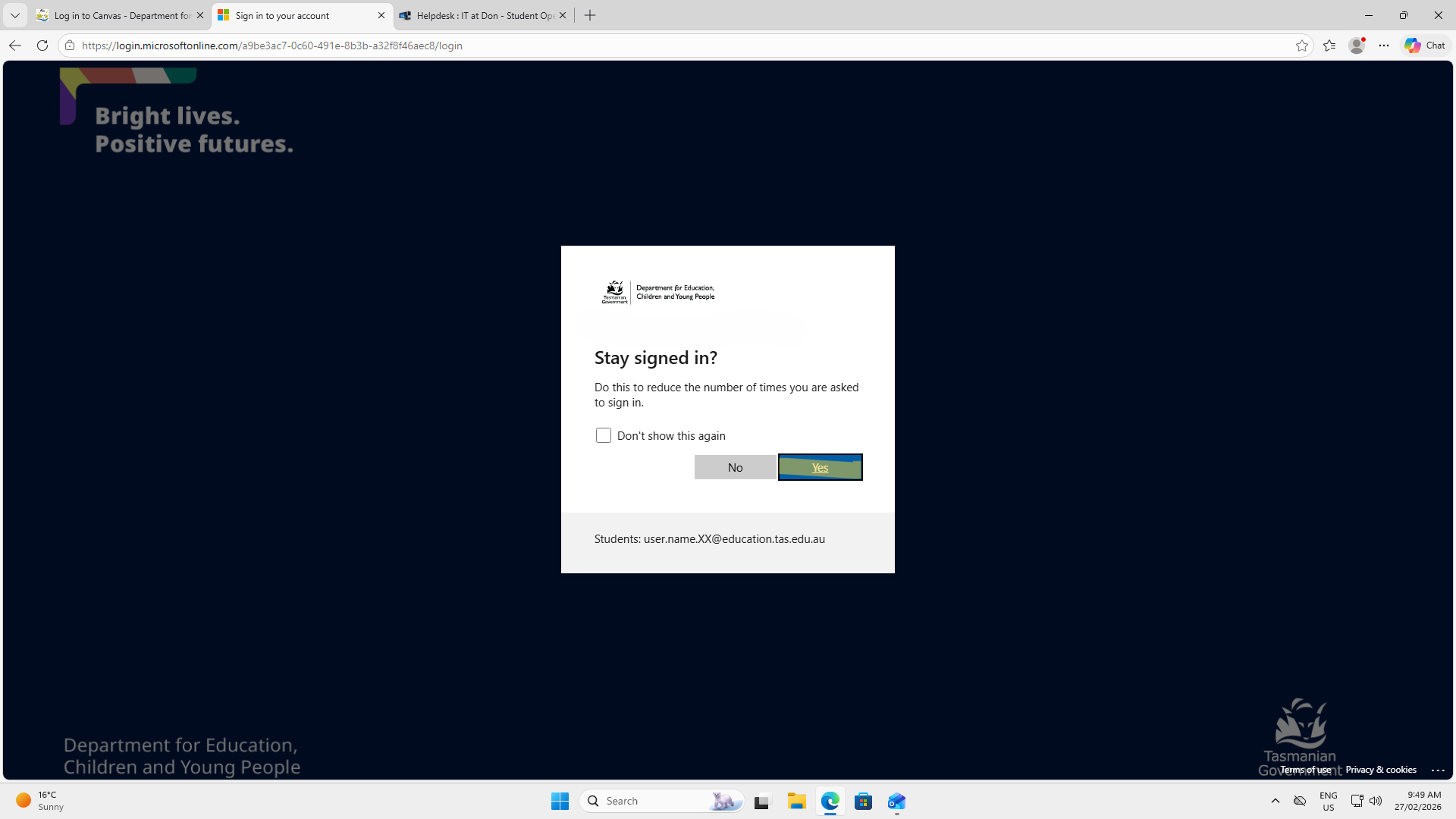
 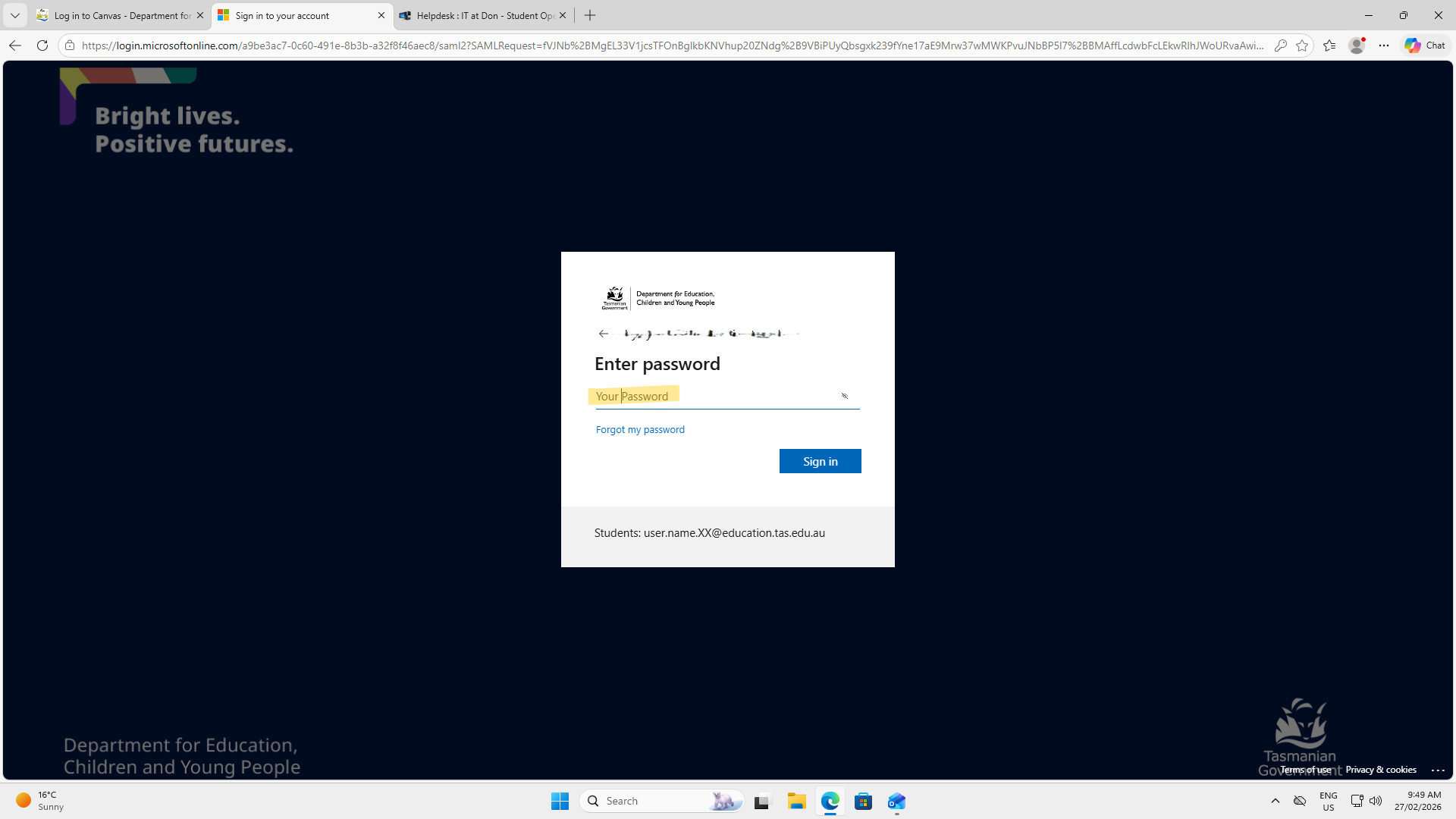 Press Next and it will take you to the stay signed in screen (Highlighted Below) Press Yes to keep you signed in
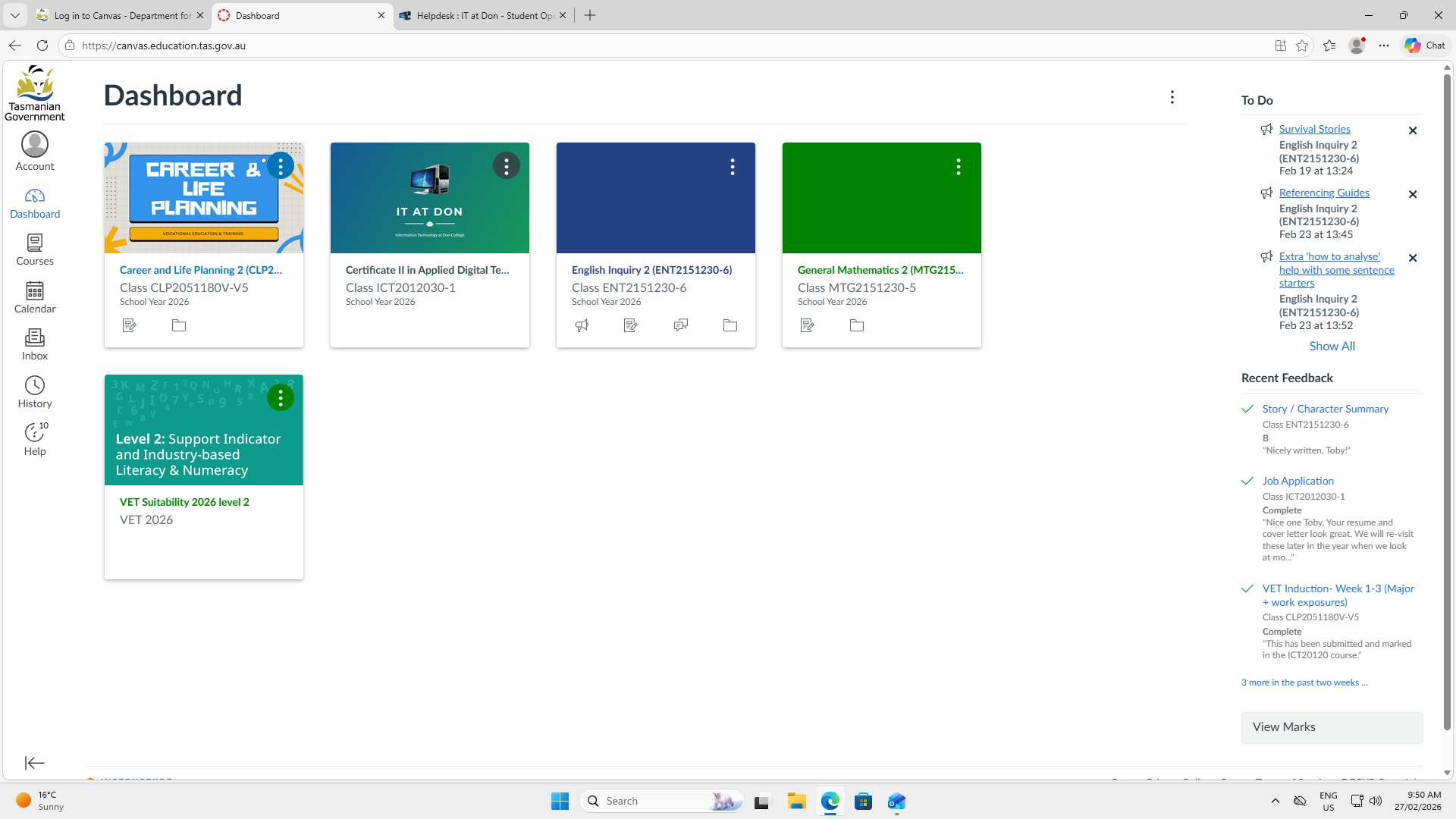
  When you have done this you will be signed into canvas (Highlighted Below)