
1. In the windows search bar, search settings, or press windows + I both of which open settings.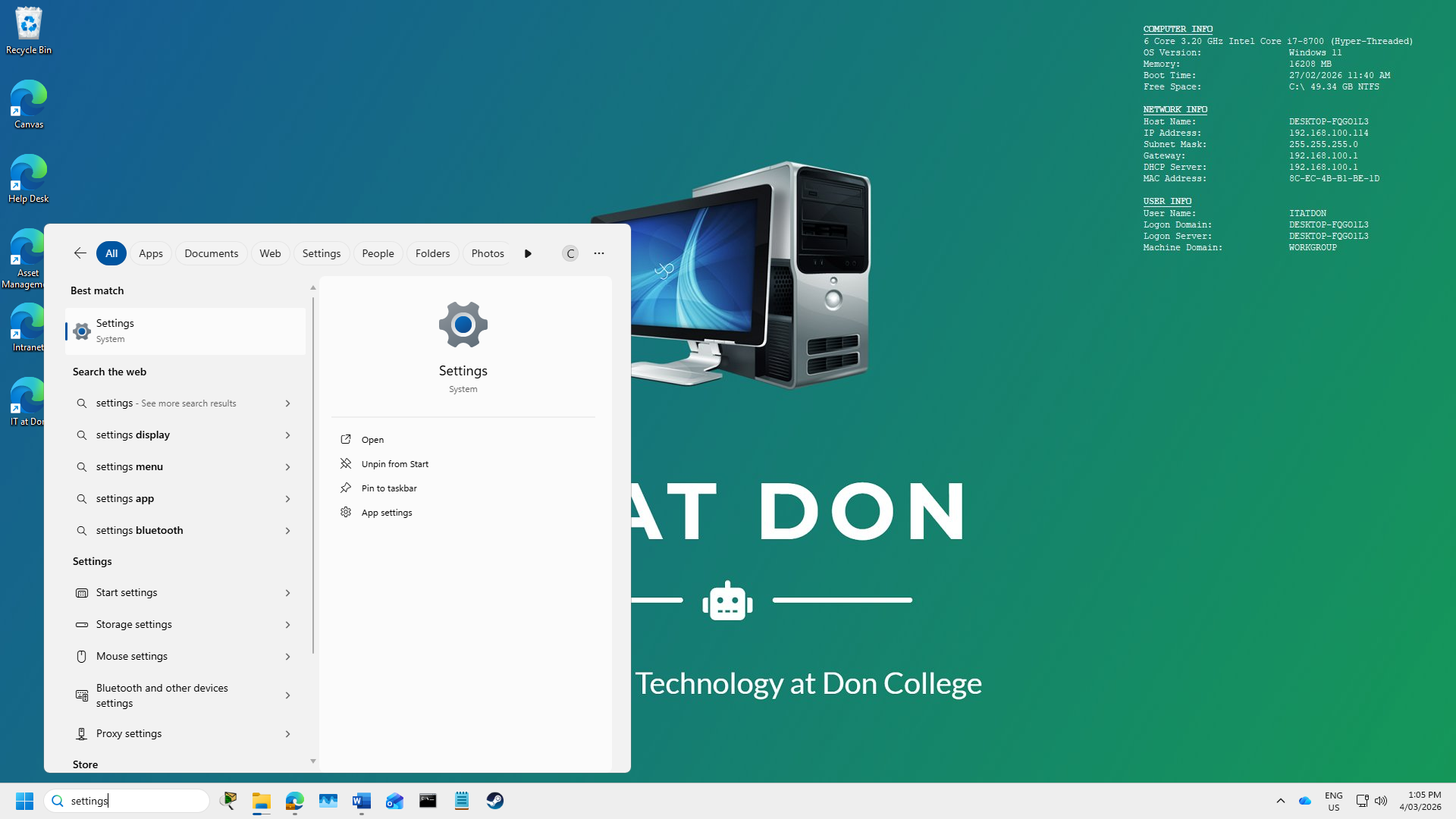
2. In the settings search bar type change your password and click on the corelating ribbon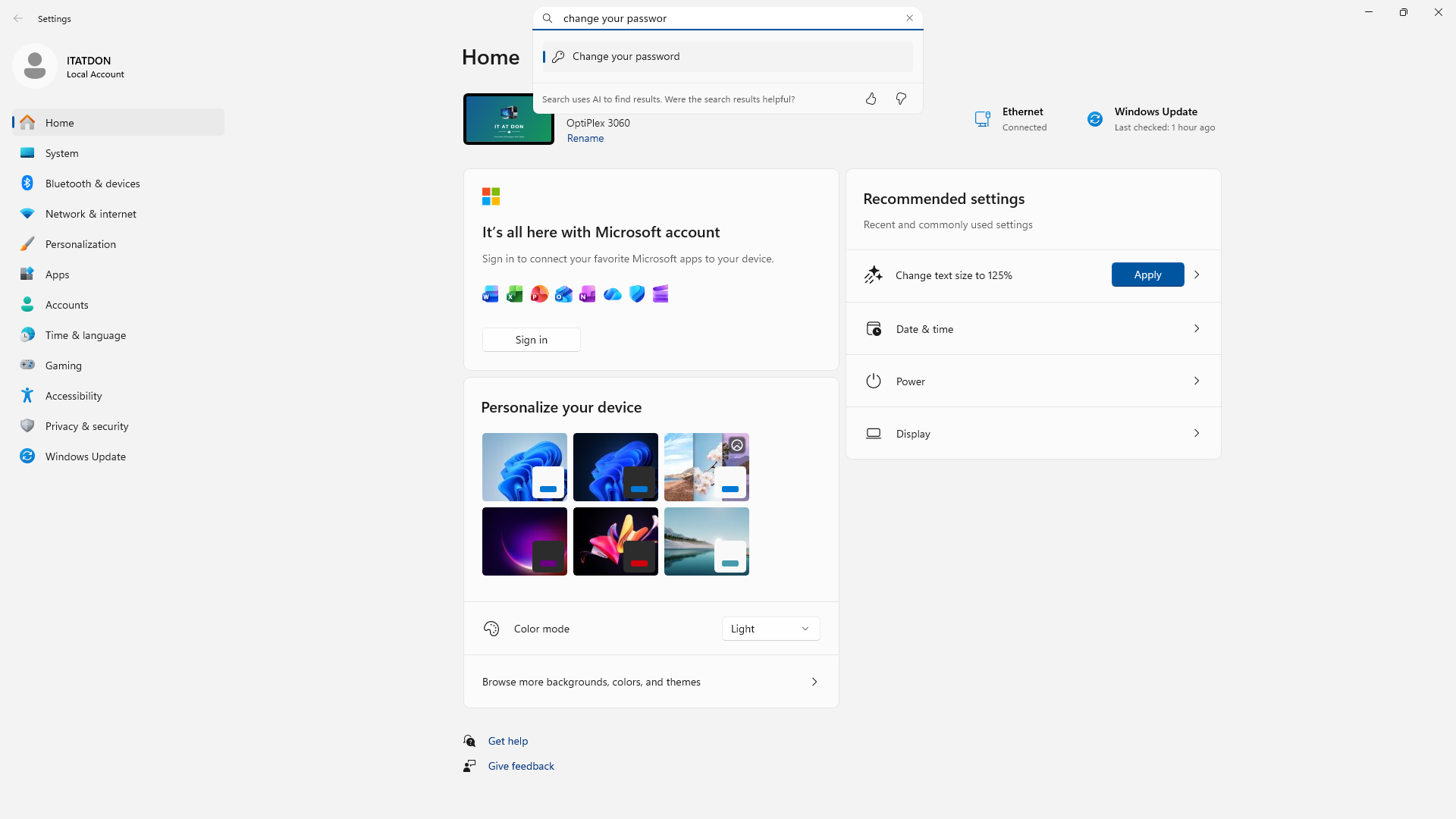
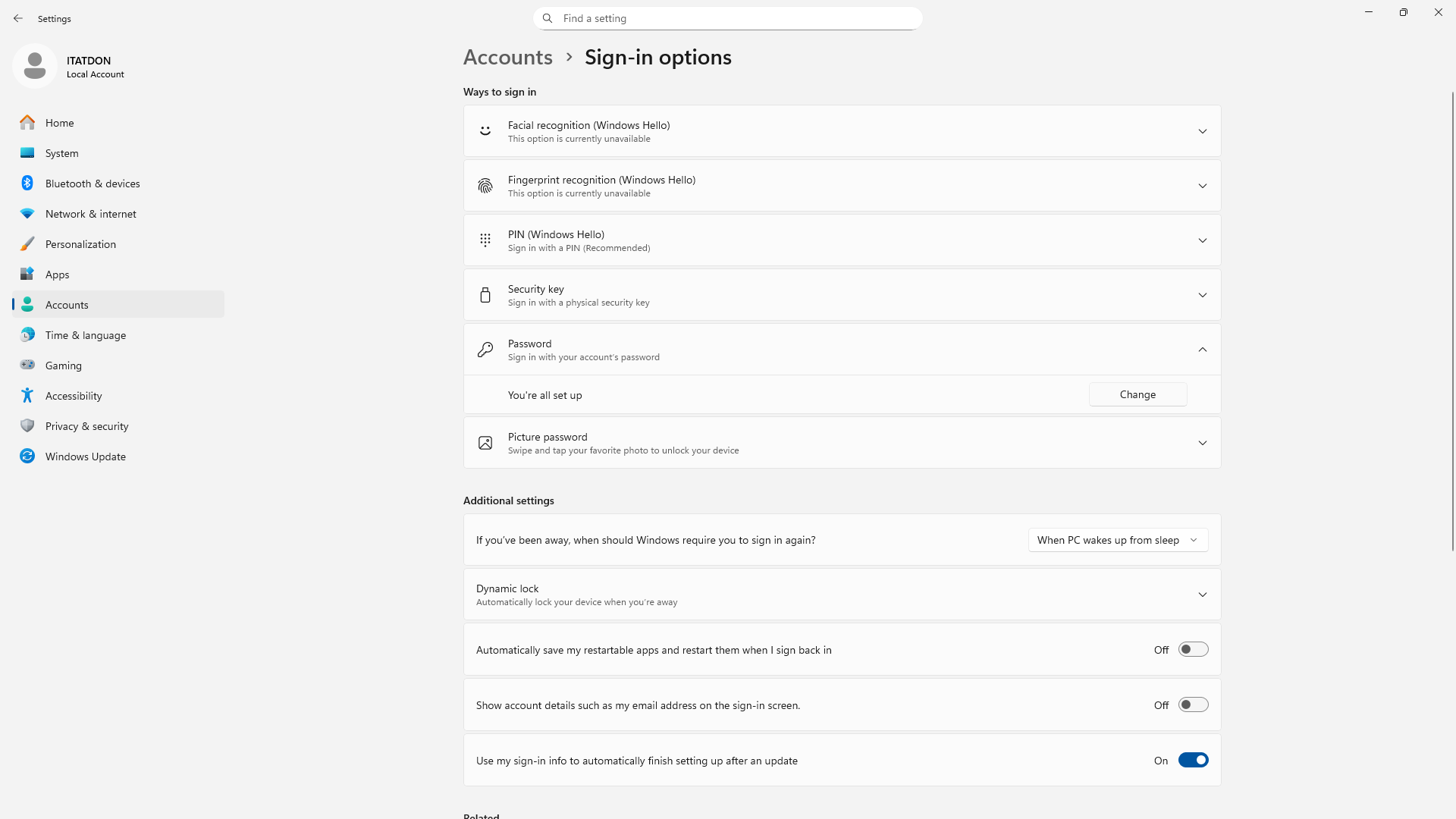
3. You will be taken to this screen of password ribbon settings. Click the one labelled password then It'll drop down with a button which says change click that.
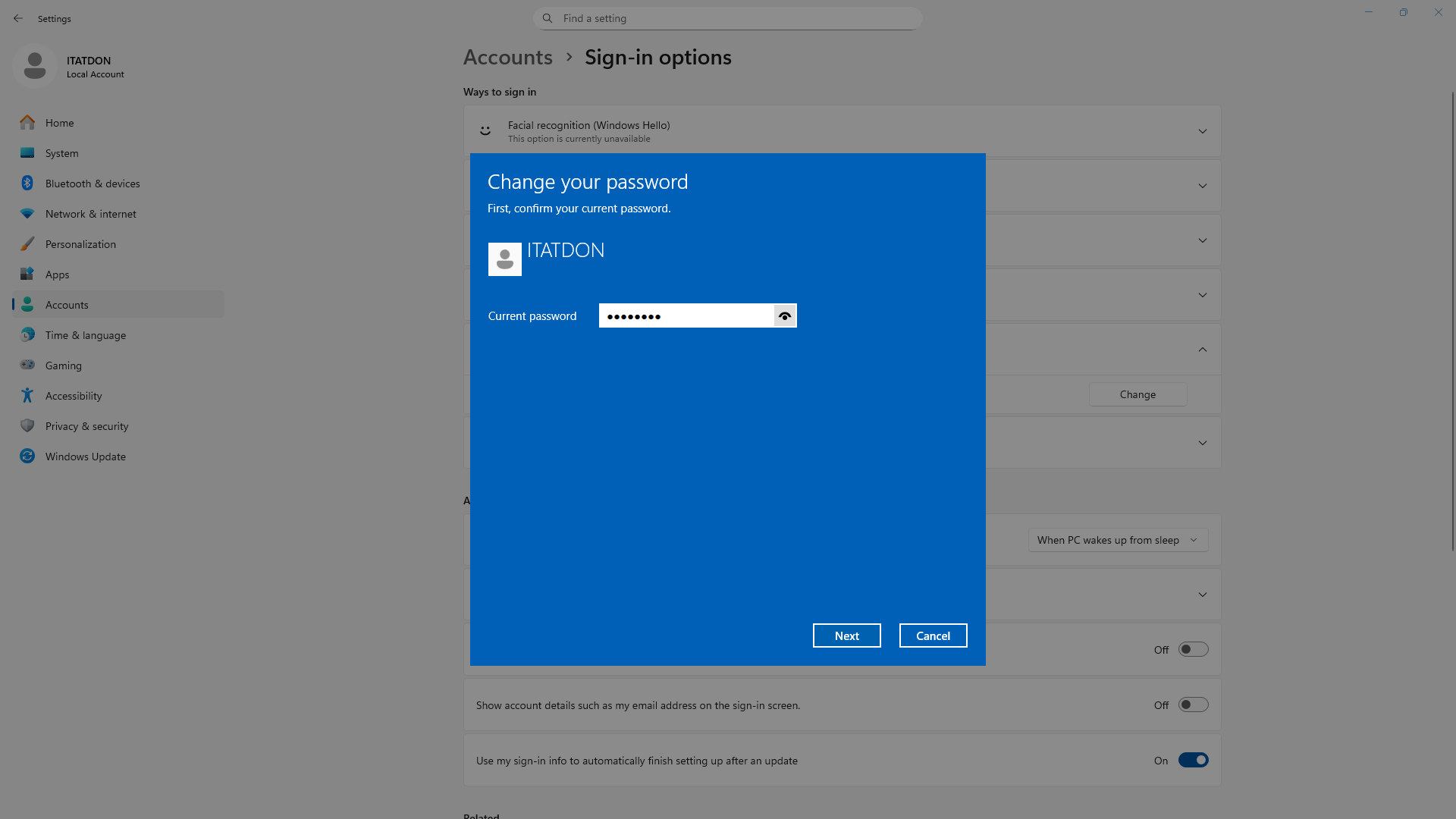
4. Then this screen will show up which you have to put in your current password.
5. then a new window will show up saying to put in a new password that you want to change it to, twice and to add a hint when you put in an incorrect password to help jog your memory of what your new password is.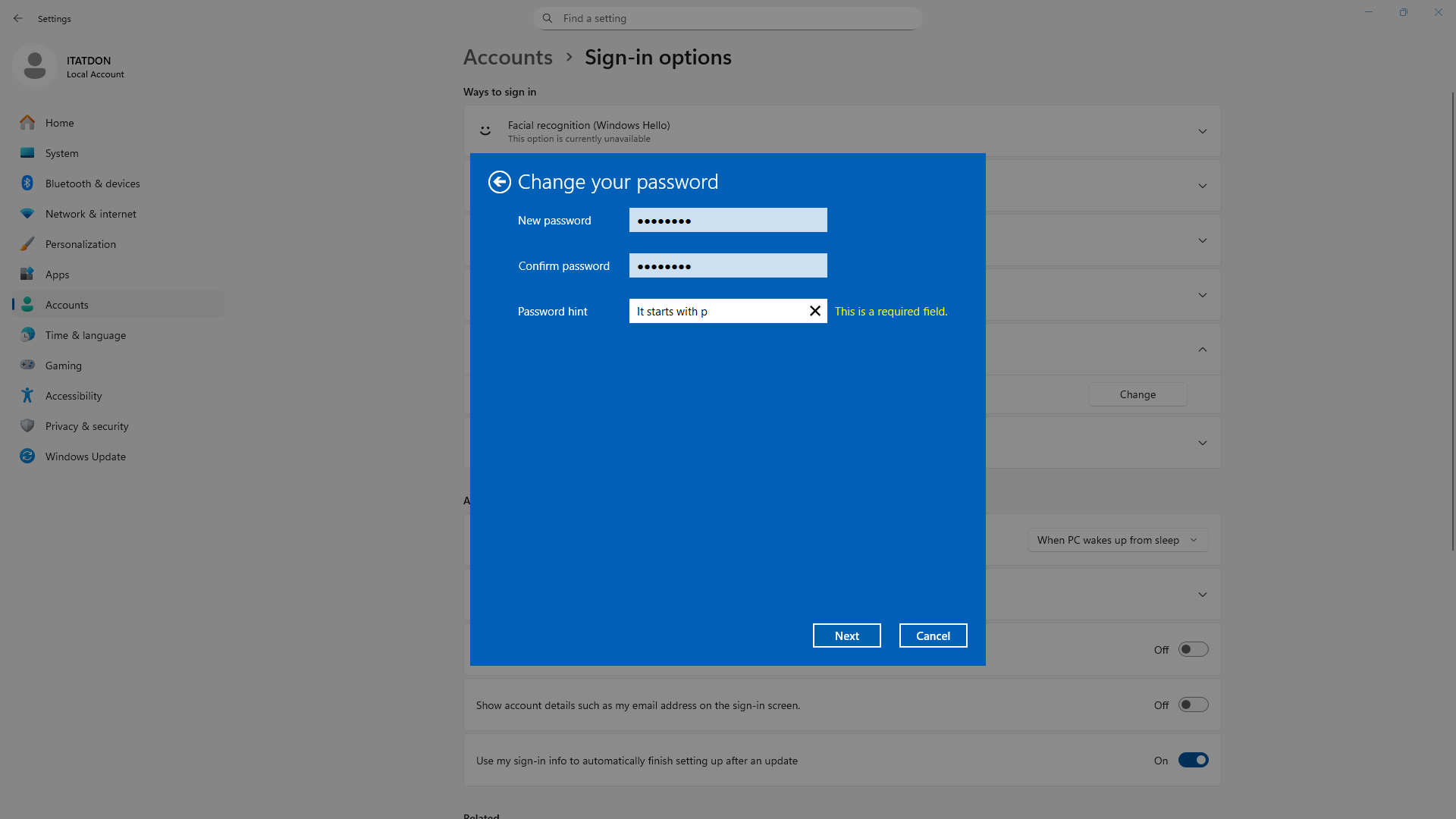 6. close settings. You have changed your password.