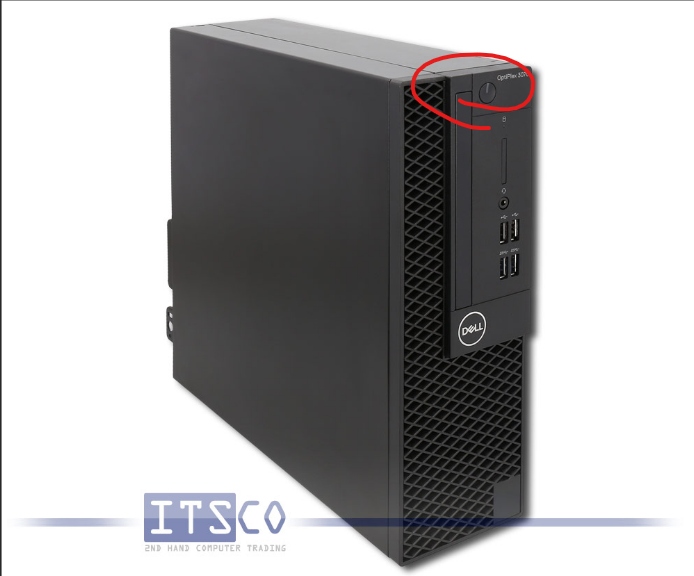
This guide is show how to turn off a computer on windows 11!!!
1. click the windows key on your keyboard or the window on the bottom of the screen

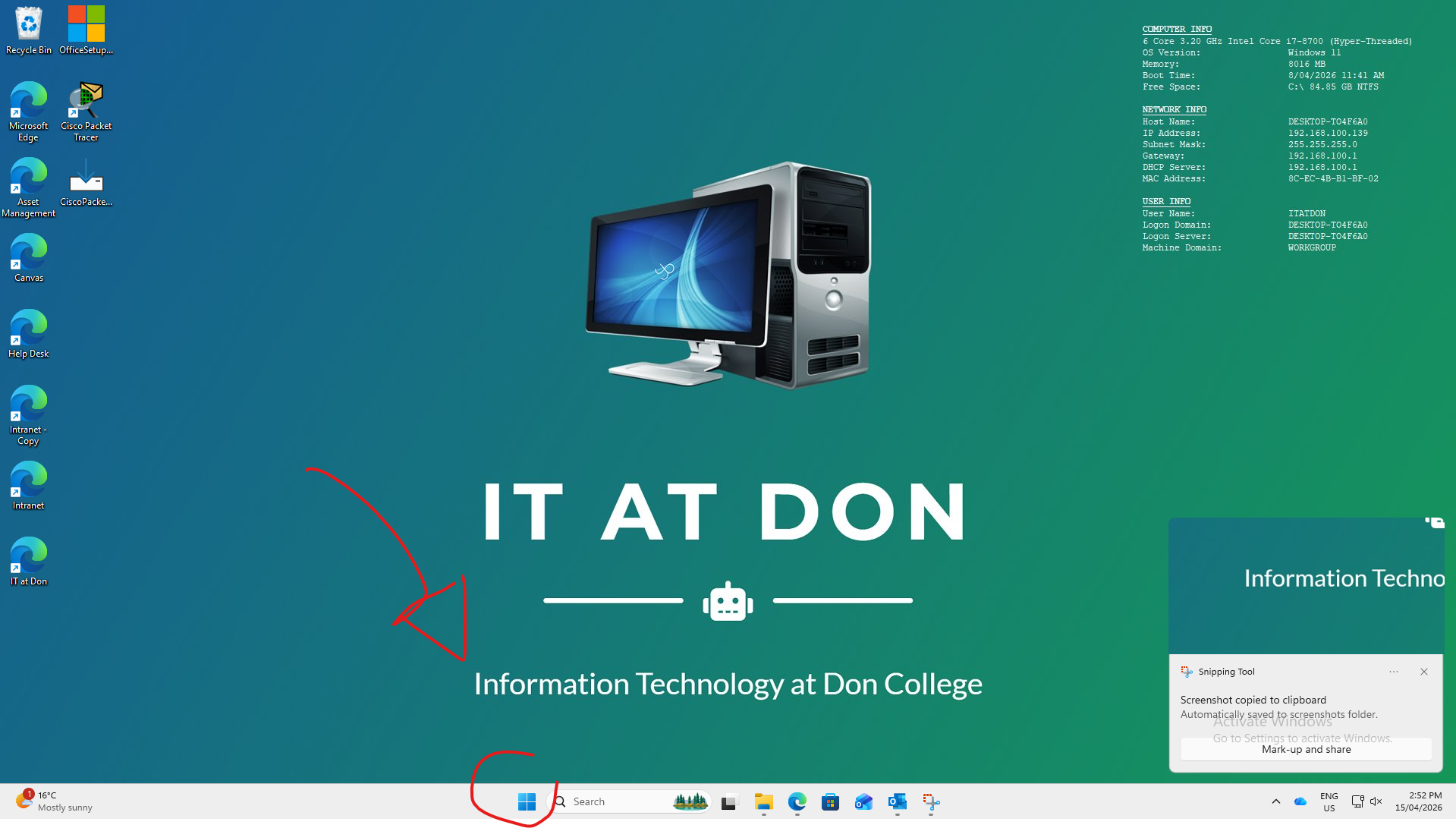
2. After that the windows panel will appear then you will need to click on the power button on the bottom right of the panel 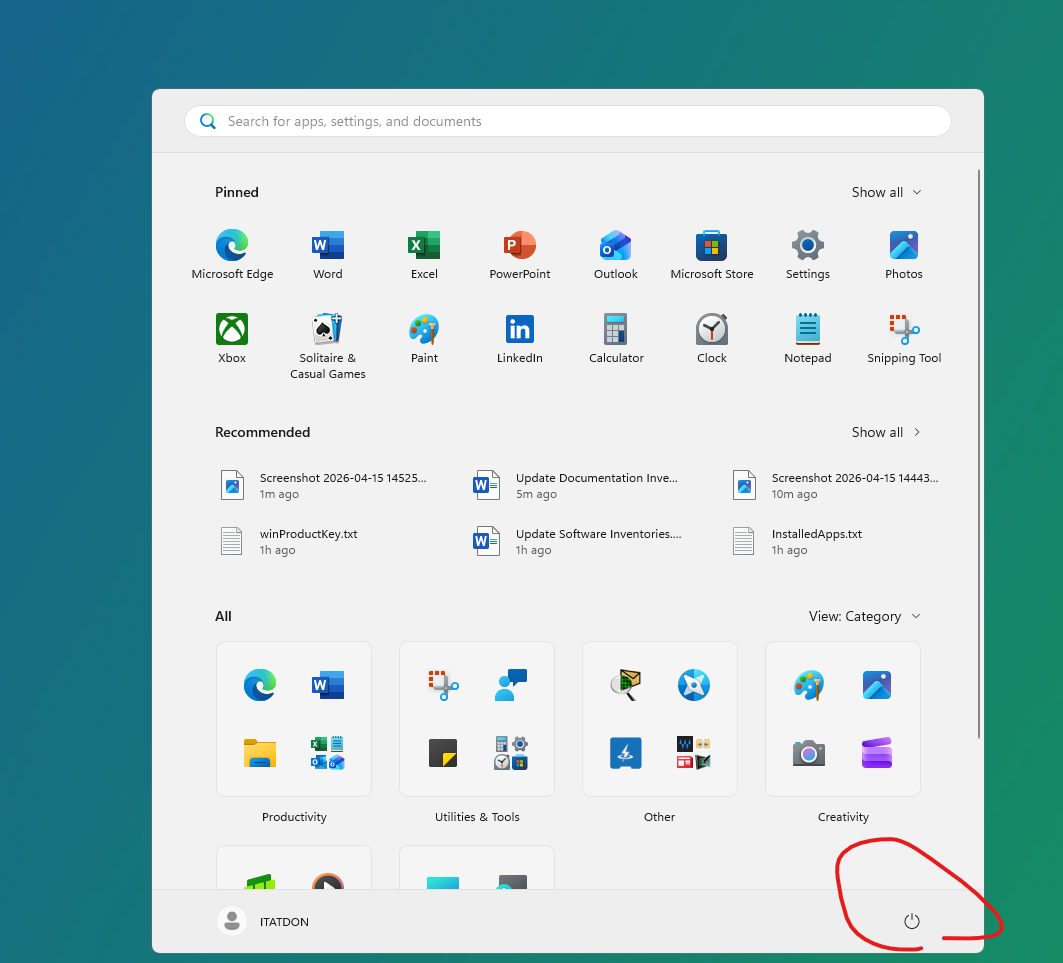
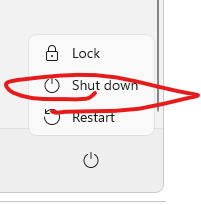
3, a mini panel will show up above the button and click the prompt "shut down"
if that was too much effort click on the power button normal placed at the front or top of the PC right next to you or under you idk where it is